Like everyone else, you are probably used to sending documents as attachments via email, when sharing with others. But did you know that there is a better way?
Maybe you can relate to the movie above?
Sending attachments via e-mail has some challenges in terms of security, but also very much in terms of productivity.
Poor version control
For example, you cannot update an attachment after it has been sent. In that case, you must instead send a new version, and misunderstandings can easily arise about what is the current/latest version.
Recipients also cannot share changes to the attachment without returning a new version to you.
In the meantime, if you have made other changes yourself, you will need to merge the changes from both places into a third document. Phew!
(Not to mention the potential consequences if such a merging of multiple versions goes wrong, and one ends up delivering the wrong offer, signing the wrong agreement, or delivering the wrong PowerPoint presentation!)
In other words, email does not allow working neither efficiently nor very safely, in parallel.
Spam filter blocks attachments
Also, your attachment may not always reach the recipients.
Many spam filters will block a variety of file types, such as Excel sheets with macros, and PDFs.
This is because some file types can be misused to contain computer viruses, so they are blocked by IT administrators by default.
Storage space limitations
In addition, you can not count on the fact that large attachments will be accepted by the recipient, because they take up too much space, or have an "illegal" file extension.
You also won't necessarily get feedback from the recipient if emails with large attachments are blocked.
It can also be challenging to send and receive large files on a slow network, or even costly if you download via mobile.
Are you sending to the right person?
One of the most common security breaches in businesses involves email being sent to the wrong recipient(s).
After all, once an attachment has been sent via email, there is no turning back.
It does not take more than you getting the wrong auto-complete suggestion in the recipient field, and you suddenly end up with sensitive documents going astray.
Sharing via links is better!
Fortunately, there are better ways to collaborate today. Although email has many advantages, modern interaction via Office has finally solved the big challenges.
The key to effective and safe collaboration is therefore:
Share a link, rather than an attachment!
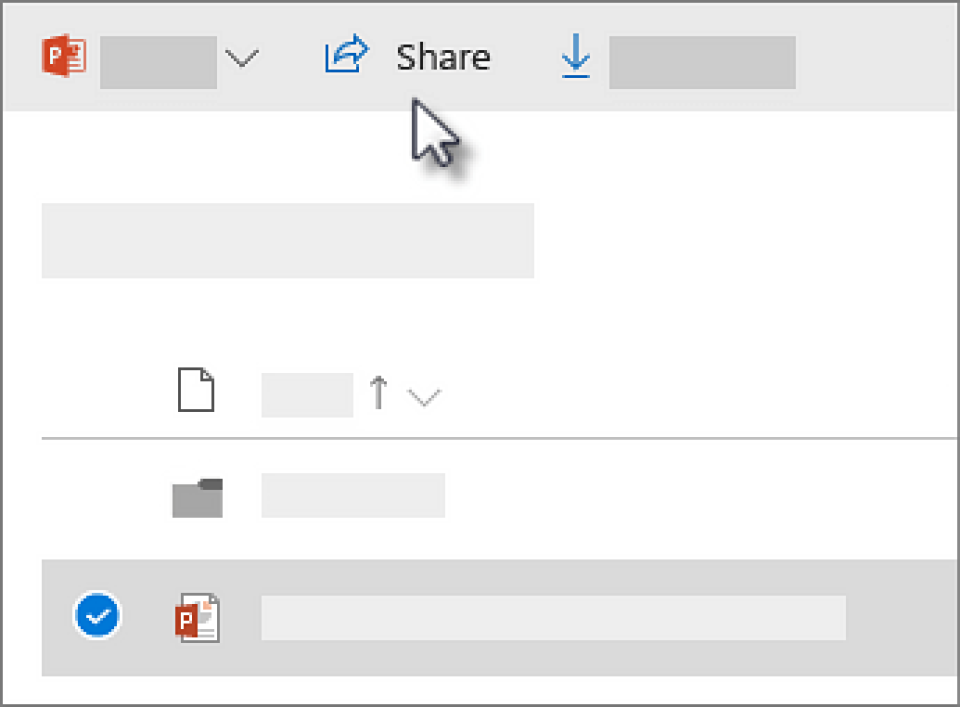
You'll find the Share a Document button through the Office Web Portal, where you can navigate to OneDrive or SharePoint.
Once you have found the desired document or folder, highlight the item and the "Share" button will be visible, as shown in the screenshot.
You can also find the "Share" menu by right-clicking on a file that you've synced on your computer with OneDrive.
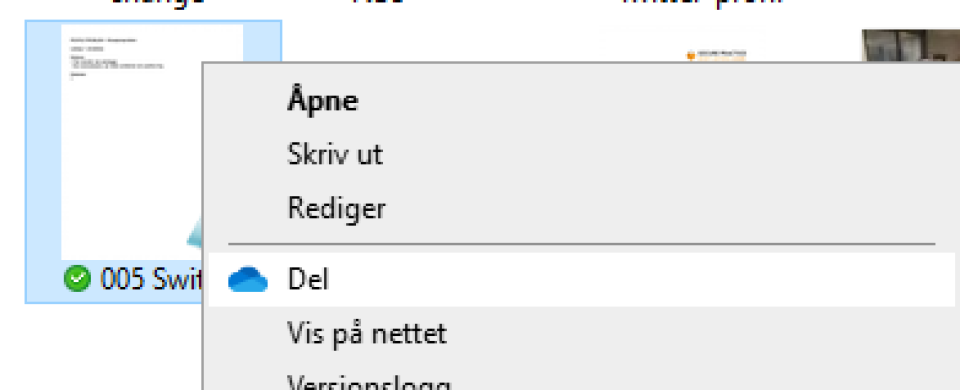 Here you can share all types of files. And the very best thing about sharing?
If someone (with your permission) edits the file, the changes automatically arrive straight back into your document on your PC!
You will of course experience the biggest worflow improvement if everyone collaborates digitally in more or less the same way. With fewer tools to manage, the risk for conflict is reduced.
How about telling your colleagues that you prefer to receive sharing links, rather than attachments, via your email signature?
#sharingiscaring